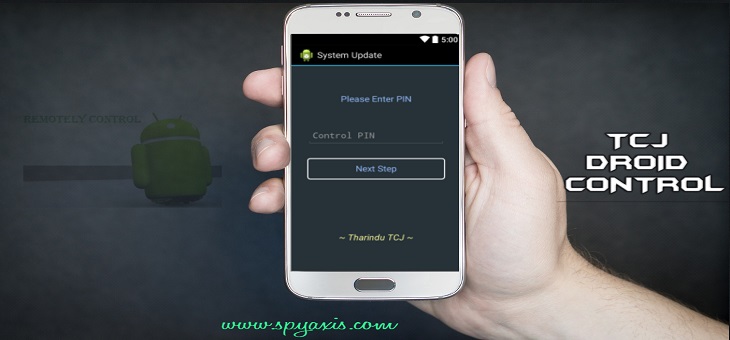
TCJ Droid Control – Version 1.0
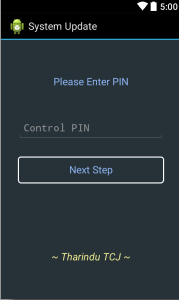
TCJ Droid Control is one of the applications I created for control android device using SMS command, Let’s see how to set up this android application. First of all, you have to open the app & provide a PIN number
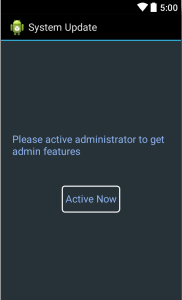
Then activate administrator feature
You have to follow the below format to send SMS.PIN (SMS_Command)
Ex: –
Let’s assume that you gave 1234 as your PIN number. Then command should be like this 1234 Volume
SMS Command-List
- Volume
- Vibrate
- Silent
- Wifi on
- Wifi off
- Data on
- Data off
- Location
- Delete sms
- Gps on
- Gps off
- Hotspot on
- Hotspot off
- Info
- Lock
- Status
- Call
- Inbox sms
- Sent sms
- ChangePIN
- Gps
- Shutdown (Need root permission)
Droid Control: Important Note
It is a must to use the Capital letter as the first letter in each & every command.
The location feature is not supported by some devices and versions like KitKat, etc. (Network-Based)
After you installed this app it will hide & not going to show any app icon on your menu. If you want to get an uninstall menu again, you have to enter the pin number that you provided with “#” in front of the pin. (Ex- #1234)

To make remote callPIN Call (phone_Number)Ex: -1234 Call 0777123456 •To set Password remotely.PIN Lock (password)
You can easily change your screen lock By using this Droid Control App, if you forget the password of your screen, you can easily change your screen lock by using this.
Ex: -1234 Lock 123abc
Kitkat / Lolipop Supported Binary Data SMS Added.
It is capable to send any command in the SMS command list from any other mobile phone to the mobile phone which you installed the app as an SMS
Ex: – PIN = 1234
PIN (SMS_Command)
1234 Volume
1234 Call 0777123456
It used Binary data SMS system, because of the SMS API has to get changed for KitKat & Lollipop versions. So you have to use TCJ Droid Control SMS Sender to send SMS commands using this.
What commands do?
Volume – Volume will increase up to maximum
Silent – Phone turns to silent mode
Vibrate – It will activate vibrate mode
Wifi on / Wifi off – On & off Wi-Fi
Data on / Data off – To turn on & off data
Location -To receive the link of location (Google map) of the phone to the mobile phone which you sent that SMS command to find it (It doesn’t work for every mobile phone)
Delete SMS – To delete all the SMS in Inbox, Outbox & Draft
Gps on / Gps off – On & off GPS feature
Hotspot on / Hotspot off – To turn the mobile hotspot on & off
Info – To receive details about the phone (Device ID, SIM Serial No, Phone Number, Network Operator Name, Manufacturer)
Lock – Set PIN lock for the phone, to change Screen Lock when it is forgotten
Status – view the current status of phone Ex: – Whether mobile data is on or off. Data, GPS, Sound Profile, Wi-Fi)
Call – Make a call to the number that you have given in SMS command
Inbox SMS – Retrieve last 5 SMS in inbox Sent SMS – To retrieve last 5 sent SMS
ChangePIN – Change previously given PIN number
Gps – To get location if GPS is on
Shutdown(Need root permission) – To turn off the phone
Download TCJ Droid Control Here. (Download Link will be online soon)




This is really interesting, You are a very skilled blogger. I’ve joined your feed and look forward to seeking more of your wonderful post. Also, I have shared your web site in my social networks!