
Skip to content Skip to blog sidebar
  • About Us
  • Contact Us
  • Privacy Policy

i-Sprid

Flexible Turn Of Modern World

  • Home
  • Health
  • Apps
  • Contact Us
  • About Us
  • Privacy Policy
Home » Featured » Tips to Increase Google Account Security

Tips to Increase Google Account Security

Posted on: April 6, 2020 | By: spridadmin – Comments Off
Tips to Increase Google Account Security
Tweet
Share
Share
Pin
0 Shares
Tips to Increase Google Account Security

Most people around the world use Google services. Of all the online accounts, Google is likely to retain most of the information. If you use chrome browser for web surfing and Gmail application for email, and Android device, you’re almost every time use google service

RELATED :  How to Find a Lost Phone: Locate Your Android Device

What happens if someone accesses your Google account? This includes Gmail bank statements, Google Drive personal files, stored Google Photos, Hangouts chat logs and more. Sounds scary, right? That is why Google-designed security mechanisms to protect user data. Let’s talk about how to make sure your account is as secure as possible

We have recently tended to use Google Apps and are wondering about security here? Follow these tips to improve the security of your Google account with personal data.

Google Account Sign-in and Security

01. Check Recently Used Devices in account Log in Sign-in & Security in Google Account

02. Checking the chances of logging into Google Account through recent security events
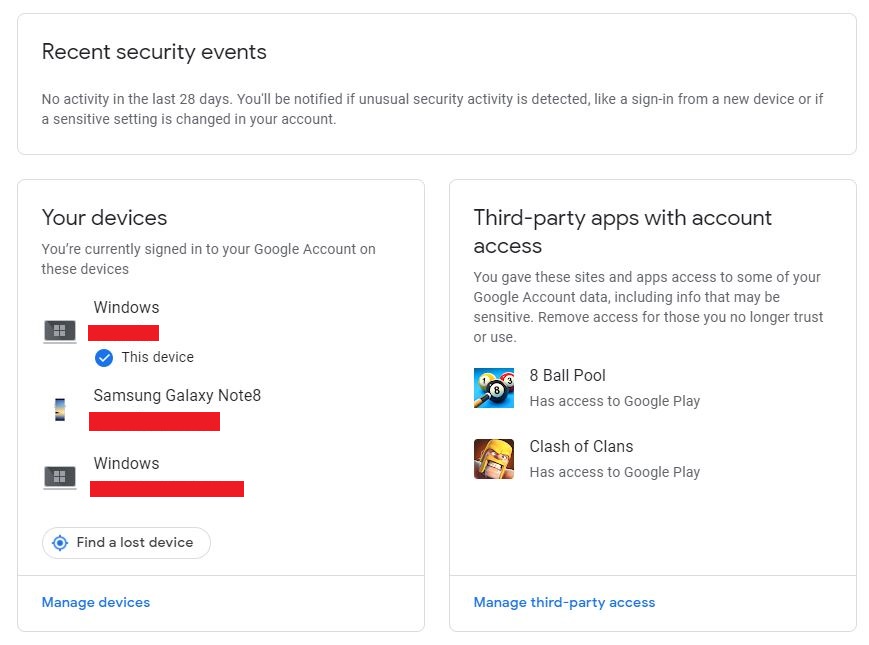
Recently Used Devices in google account

03. Include your phone number and additional email address in the Account Recovery options

This will enable you to recover your password when you forget your password, and you will receive an alert if an unidentified person logs in.
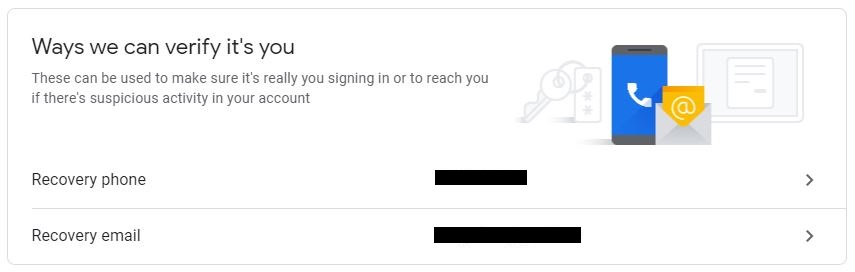
Account Recovery options

This is an example of a security alert email that you receive when a user logs in to a Gmail account from a new device
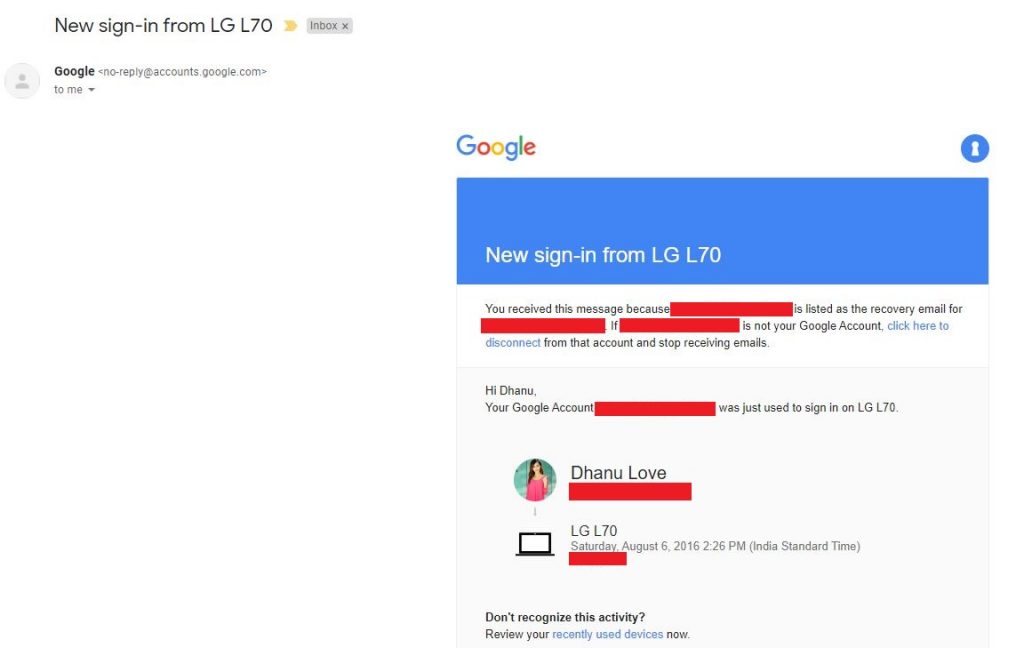
new signed in email

Strong Password and 2-Step Verification

04. 2-Step Implementation

Two-step verification protects your account by adding an additional layer of security when you sign in to your Google account. Google will verify your identity every time you log in. When someone tries to sign in to your account, Google sends a text message to the verified phone number for two-step verification. Then enter the security code from the text message to complete the login.
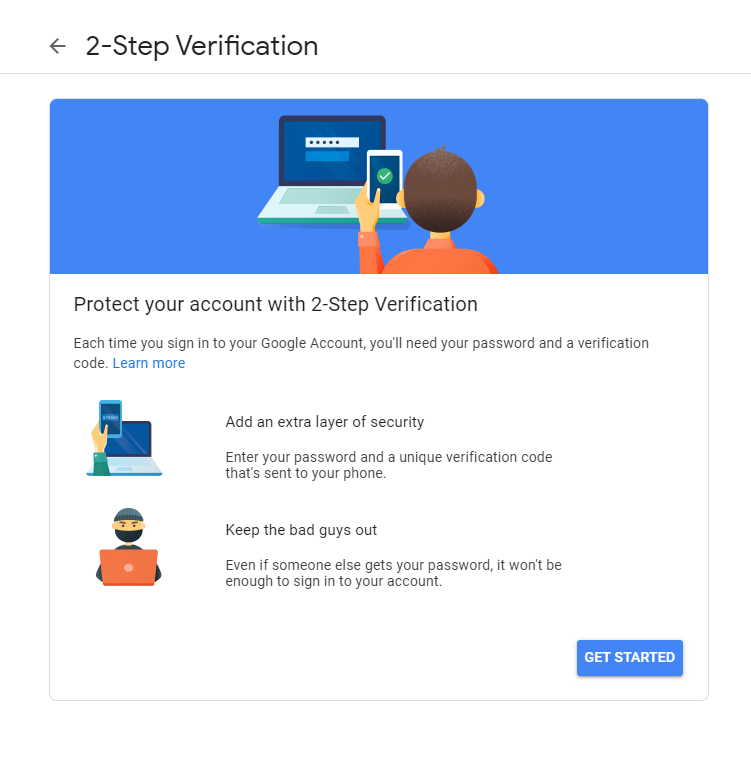
two step verification

For example, you can configure this to receive SMS to phone numbers. After entering the password, you must also enter the PIN you received by SMS.
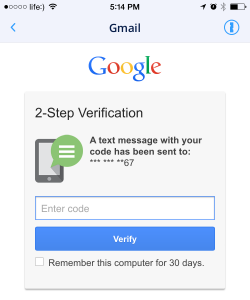
two step verification pin

05. Password Update

Also, when selecting a password, choose a strong password. Use capital letters, lowercase letters, numbers, and symbols for passwords.
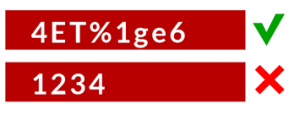
how to choose best password

More Tips

06. Do not use Google Username and Password for other websites

07. Checking the URL of the web page when logging into the Google Account

The URL associated with the web page must be “mail.google.com” or “accounts.google.com/login”.

08. Do not share the password with anyone else

09. Use Virus guard for Device

10. Make sure you sign up for a public device. Also delete Forms, Password, Cache, and Cookies from the browser

11. Turn off less secure app access
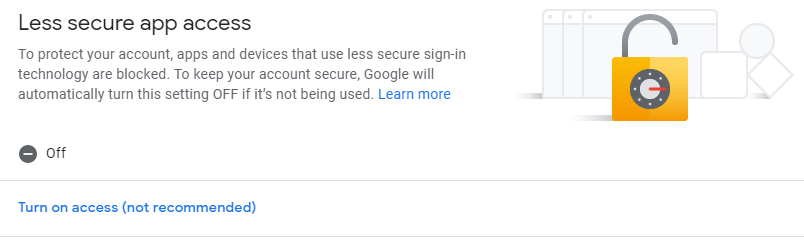
Google account less secure app access

12. Remove unnecessary third party application which connects to your Gmail account
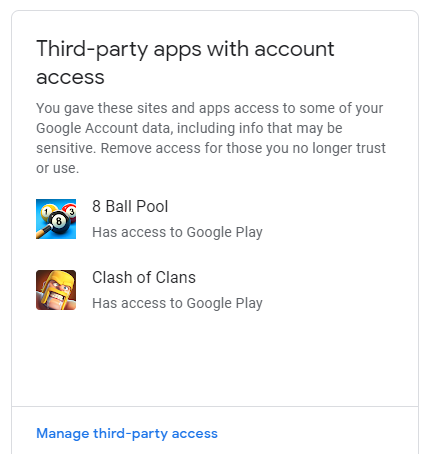
google account third party app access

Protecting your account is not difficult and takes less time. What everyone with a Google account should do. You can keep a secure Google Account by following the instructions above.


  • Trip Wallet App: Your Ultimate Travel Expense Manager
  • How to remove your phone number completely from the Truecaller app
  • How to disable battery optimization for the Birthday Reminder app
  • Birthday Reminder: Best Birthday Reminder App for Android
  • How to Recover Deleted Photos from Mobile
Post Views: 1,695
Tweet
Share
Share
Pin
0 Shares
Filed Under: Filed Under:Featured
Tagged With: Tagged With:2-step verification gmail, email security tips, google 2 step verification login, google account create, google account login, google account manager, google account manager download, google account recovery, google account recovery page, google account security, google account security alert, google account security check, google account security email, google account security number, google account security page, google account security scam, google account settings, google account sign in, security tips, strong password, strong password definition, strong password phrase, strong password policy, strong password practices, strong password suggestions, strong password test, strong password tester, strong password tips

Post navigation

« How to Find a Lost Phone: Locate Your Android Device
5 Best Radio Apps for Android and iOS »
Avatar for spridadmin

About The Author

spridadmin

Related Articles

Trip Wallet App: Your Ultimate Travel Expense Manager

Trip Wallet App: Your Ultimate Travel Expense Manager

How to remove your phone number completely from the Truecaller app

How to remove your phone number completely from the Truecaller app

How to disable battery optimization for the Birthday Reminder app

How to disable battery optimization for the Birthday Reminder app

Recent Posts

  • Trip Wallet App: Your Ultimate Travel Expense Manager
  • How to remove your phone number completely from the Truecaller app
  • How to disable battery optimization for the Birthday Reminder app
  • Birthday Reminder: Best Birthday Reminder App for Android
  • How to Recover Deleted Photos from Mobile

Archives

  • July 2024
  • May 2021
  • March 2021
  • February 2021
  • April 2020
  • March 2020
  • February 2020
  • November 2019
  • October 2019
  • September 2019
  • June 2019

Categories

  • Android
  • Apps
  • Featured
  • Health
  • How To

Tags

2-step verification gmail 5 best radio apps android app best radio apps best radio apps android best radio apps for android phone best radio apps free best radio apps iphone best streaming radio apps coronavirus pandemic model email security tips google 2 step verification login google account create google account login google account manager google account manager download google account recovery google account recovery page google account security google account security alert google account security check google account security email google account security number google account security page google account security scam google account settings google account sign in prevent catching coronavirus security tips strong password strong password definition strong password phrase strong password policy strong password practices strong password suggestions strong password test strong password tester strong password tips the best radio apps track phone location apk track phone location app track phone location free transfer whatsapp from android to iphone app transfer whatsapp from android to iphone free whatsapp
© 2026 i-Sprid. All Rights Reserved.  
  • Home
  • Health
  • Apps
  • Contact Us
  • About Us
  • Privacy Policy